Sharma Ji’s Kirana: How One Counter Went From Chaos to Calm
Shubham Verma · shubhamverma.com
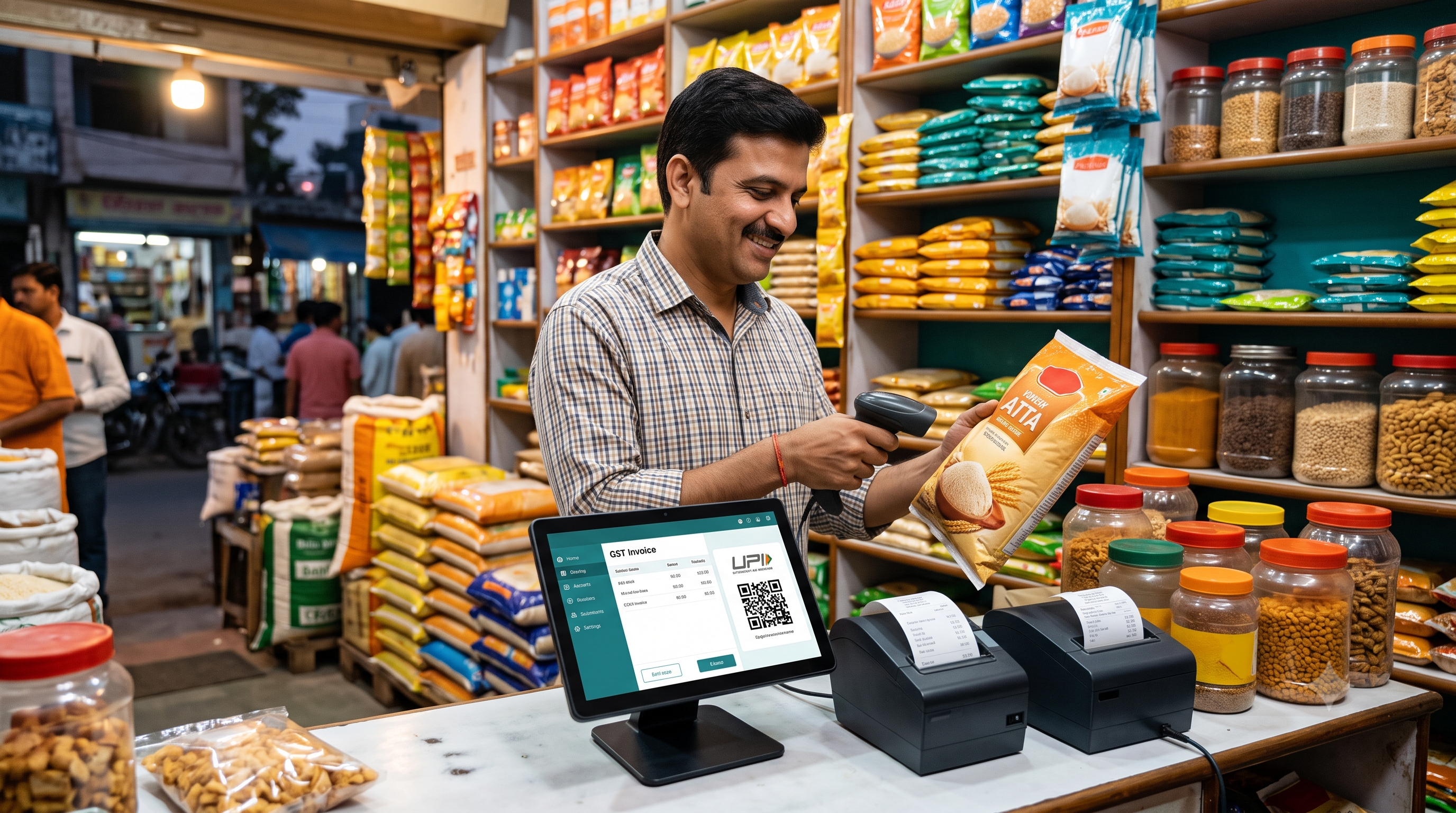
It’s 6:45 PM. Sharma ji’s kirana store in a busy Delhi colony is packed.
A customer wants 1.5 kg of rice and half a kilo of chana dal. Another is arguing that last month’s udhaar was ₹400, not ₹450. The calculator is buried under a pile of bills, the pen has run dry, and a child is asking for a ₹10 chocolate while the phone buzzes with a supplier call.
If this feels familiar, this post is for you. Sharma ji is a made-up shopkeeper, but his problems are very real, and so are the fixes.
Chapter 1: The problems nobody writes down
Sharma ji never called any of these “problems.” He called them “normal.”
- Billing by hand. Every bill took 2 to 3 minutes, and peak hours meant queues.
- GST confusion. Was atta 5% or 0%? He’d guess, or ask his CA at month end.
- The bahi-khata. Credit was recorded in a notebook that got smudged, lost pages and caused arguments.
- Surprise stock-outs. He only learned the sugar was finished when a customer asked for it.
- Expired stock. Every few months, a carton of biscuits or butter quietly passed its date.
None of these looks expensive on its own. Together, they quietly drained sales, trust and sleep.
Chapter 2: The 6 mistakes that cost him the most
If you recognize yourself here, you’re not alone. These are the most common kirana billing mistakes:
1. Rounding GST “roughly.”
A few rupees here and there add up, and they don’t match your filings.
2. Not tracking who owes what, exactly.
“Mujhe yaad hai” works until it doesn’t. Memory isn’t a ledger.
3. Ignoring expiry dates until it’s too late.
Dead stock is money sitting on a shelf and turning into waste.
4. Reordering by gut feeling.
Without numbers, you overstock slow items and run out of fast ones.
5. Depending on one machine.
One old desktop, one hard drive, no backup. One crash and months of data are gone.
6. Buying expensive hardware “because the vendor said so.”
You rarely need a ₹40,000 terminal to bill groceries.
Chapter 3: The turning point
One evening, a regular customer told Sharma ji, “Uncle, the shop next door gives a printed GST bill in seconds. You make me wait.”
That stung. The next day, he asked his nephew to help find “something simple” for billing. Their checklist was short:
- Must scan barcodes quickly
- Must handle loose items by weight
- Must have a khata feature
- Must work even if the internet drops
- Must not need new, costly hardware
Out of the options they looked at, Sanchix POS matched most of that list: GST-ready billing, a customer khata ledger, expiry alerts, offline mode, and support for regular thermal printers and barcode scanners. They signed up for the free trial and tested it on a Sunday, the busiest day, before spending a rupee.
Chapter 4: What changed (the realistic version)
No software is magic. But here’s what shifted once billing moved to a proper POS:
| Before | After |
|---|---|
| 2-3 minutes per handwritten bill | Scan, tap payment, print |
| GST guessed or looked up later | Tax calculated automatically from the item |
| Khata in a paper notebook | Balance visible per customer at the counter |
| Expiry noticed too late | Alerts shown before selling near-expiry items |
| Stock checked by eye | Stock levels tracked after every sale |
| CA chasing paper bills | Reports ready to hand over |
The biggest win was calm. Staff stopped asking him “what’s the rate of this?” and customers stopped arguing about udhaar balances because the number was right there on screen.
Chapter 5: Your turn, a 15-minute test you can do this week
You don’t need to switch your whole store overnight. Try this:
- Pick any POS with a free trial.
- Add your top 50 items, the ones that make up most of your sales.
- Bill 10 real transactions during a normal rush hour.
- Include a loose-item sale (say 0.75 kg of something).
- Do one split payment, like half UPI and half khata.
- Pull a sales and GST report at the end of the day.
If it feels faster and easier than your current way, you have your answer. If not, try the next option. A trial costs you nothing but an evening.
Quick-fire FAQ
Will my staff find it hard to learn?
Most modern POS tools are built for non-technical users. If your cashier can use WhatsApp, they can learn billing in a day or two.
Do I have to throw away my old printer or scanner?
Usually not. Check compatibility with standard thermal printers and barcode scanners before you buy anything new.
What if my internet goes down mid-bill?
Choose a POS with offline billing so you can keep selling and sync later.
Is it worth it for a small shop?
If you bill GST, give credit or stock more than a few dozen items, yes. The time saved at the counter alone usually justifies it.
The takeaway
Sharma ji’s shop didn’t change because of fancy technology. It changed because he stopped treating slow bills, messy khata and guessed GST as “normal.” The right POS for a kirana store is the one that makes the counter faster, the books cleaner and the owner less stressed.
Start with a trial, test it with real customers, and decide with numbers, not sales pitches.
Sharma ji and his shop are fictional and used here as an illustration.
Comments
0 comments
Loading comments…